
Can You Change An Image Size to whatever you want?
There is a big chance that resizing an image will work and produce an outstanding image to serve your needs.
The big advantage of resizing an image in Photoshop is that you see what you do, determining the best possible way to adapt an image to your output.
There are of course limitations to every resampling software but there's a good chance that you can create an excellent print on ChromaLuxe with the help of Photoshop.
Let's start by having a look at an image and in particular the image size to determine whether they apply for a decent output.
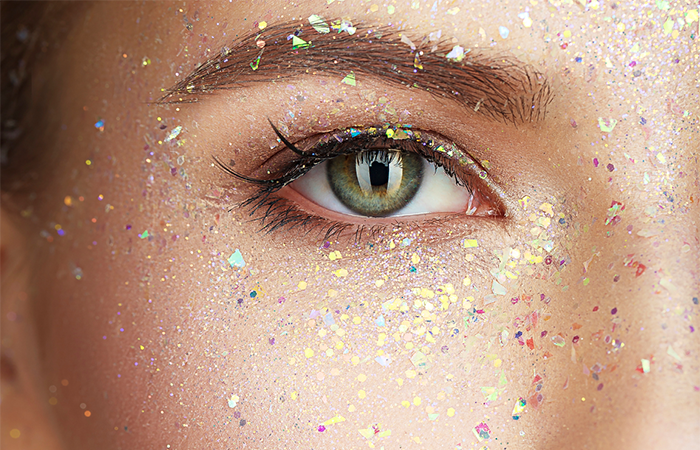
High resolution
This picture has enough information for a specific output since the end result shows a nice and crisp image without pixels. The image has a resolution of at least 150 ppi (pixels per inch). In this case 300 ppi.
Medium Resolution
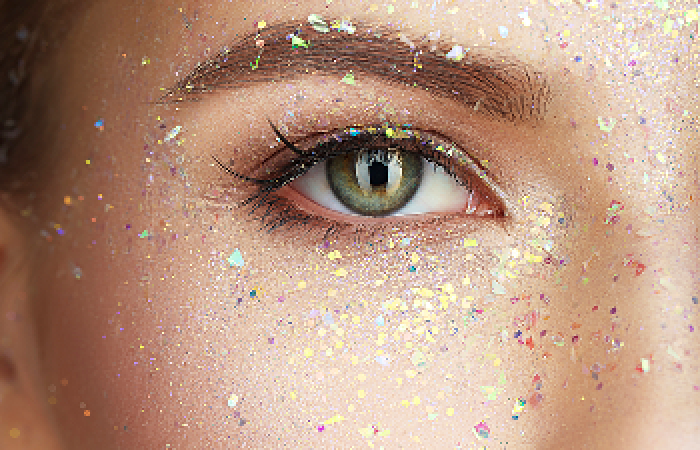
This image has a lower resolution and the output will not be as crisp as expected. You notice around the white of the eye that the edge starts to pixelate. If this is a small print a user with a trained eye will certainly notice the pixels interfering with the quality of the image. However a larger print is usually showcased from a distance and can get away with these slight artefacts.
Low Resolution
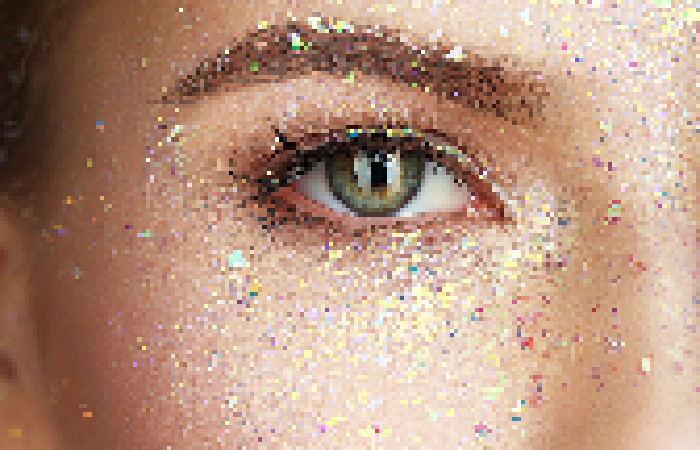
Once an image resolution drops below a certain resolution the image quality disappears. The pixels become larger than the image resolution and the output will become pixelated. There is no excuse for a low resolution image other than that is not suited for printing.
However what if your print needs to be bigger than the available information in the file or an image initially intended for small print output needs to be printed as a mural?
Luckily for these cases the rules don't always apply and in Photoshop you can adapt and recalculate your image to have a perfectly usable output.
Do you want to read more?
Create your free account to receive access to our technical support portal.