
Pixels and Resolution
Knowing how big or small to print your artwork can be tricky. Here are some examples of how big your artwork will look:
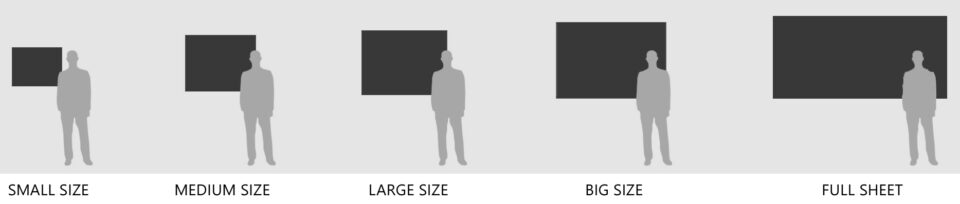
Each size needs its proper amount of pixels in your output file, to get perfect results on your ChromaLuxe panel. The 'Good Quality' number will be sufficient for most of your needed prints. The 'Best Quality' numbers are only needed if you look from a short distance to the final printed panel.
SMALL SIZE PRINT
- 16 x 20 inch
- 40,6 x 50,8 cm
Good quality (150dpi) - photoshop file need to be 2400 x 3000 pixels.
Best quality (300dpi) - photoshop file need to be 4800 x 6000 pixels.
Do you want to read more?
Create your free account to receive access to our technical support portal.